|
|
Па Udayakumar Ethirajulu , 25 Ліпеня, 2012 Увайдзіце ў Office365 распрацоўніка сайта. Калі Вы яшчэ не зарэгістраваліся ў ўліковага запісу распрацоўніка, чытаць мой папярэдні пост пра тое, як падпісацца на Office365 распрацоўніка рахункі.
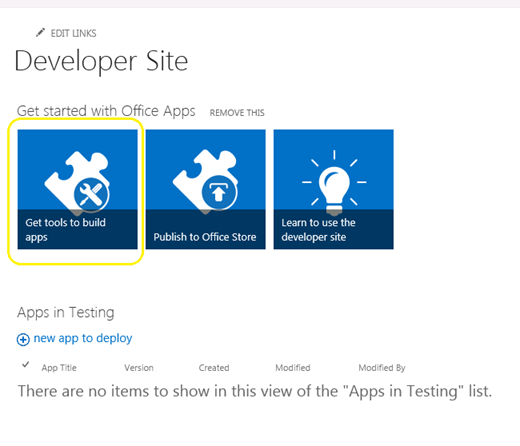
Перайдзіце на старонку адміністратара SharePoint, і націсніце “Атрымаеце прылады для стварэння прыкладанняў”
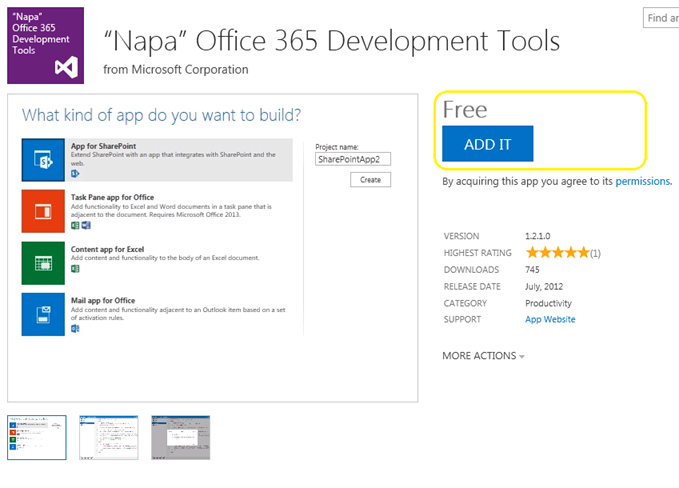
Націсніце на “Дадайце яго” Кнопка ў правым куце, і ўвайдзіце ў сістэму, выкарыстоўваючы пашпарты для крамаў.
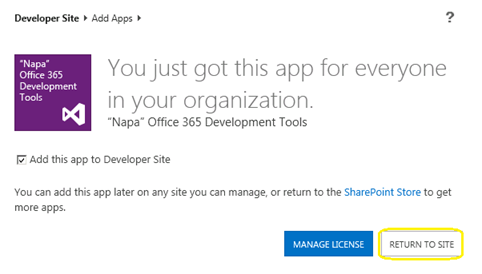
Націсніце на “Вярнуцца на сайт”
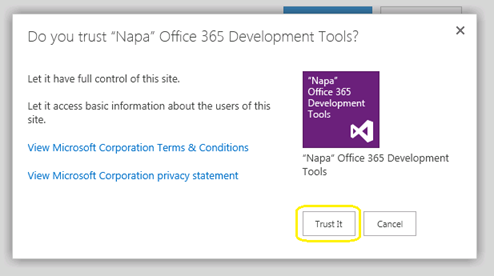
Popup з'явіцца для пацверджання мэтавага. Націсніце на “Давярайце Гэта” кнопка, і тады вы будзеце перанакіраваны на сайт распрацоўніка.
Цяпер прыкладанне будзе ўстаноўлена на вашым сайце распрацоўніка. Націсніце на “Напа офіса 365 Сродкі распрацоўкі” У Page Змест сайта да запуску.
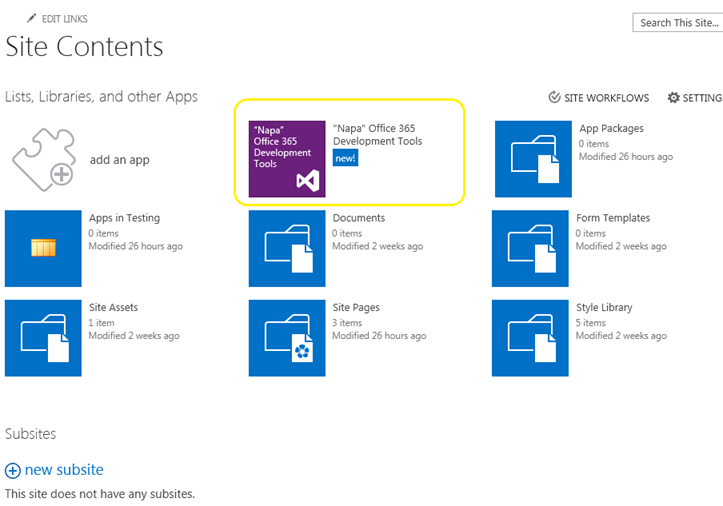
Зараз мы атрымалі нашы інструменты распрацоўкі ўстаноўлены. Што далей? Давайце пабудуем HelloWorld.
Па Udayakumar Ethirajulu , 24 ліпеня, 2012 Microsoft выпусціла Office / SharePoint 2013 Папярэдні прагляд на мінулым тыдні. Наш наступны пытанне будзе, што новага ў Office365; Тут вы ідзяце зарэгістравацца для распрацоўнікаў доступ да сайта ніжэй, і пачаць распрацоўку прыкладанняў для 2013.
Рэгістрацыя тут для распрацоўніка сайта
Пасля завяршэння працэсу рэгістрацыі вы зможаце атрымаць доступ да распрацоўніку сайта. Калі яна загружае першы раз, усе неабходныя паслугі будзе прадстаўлены.
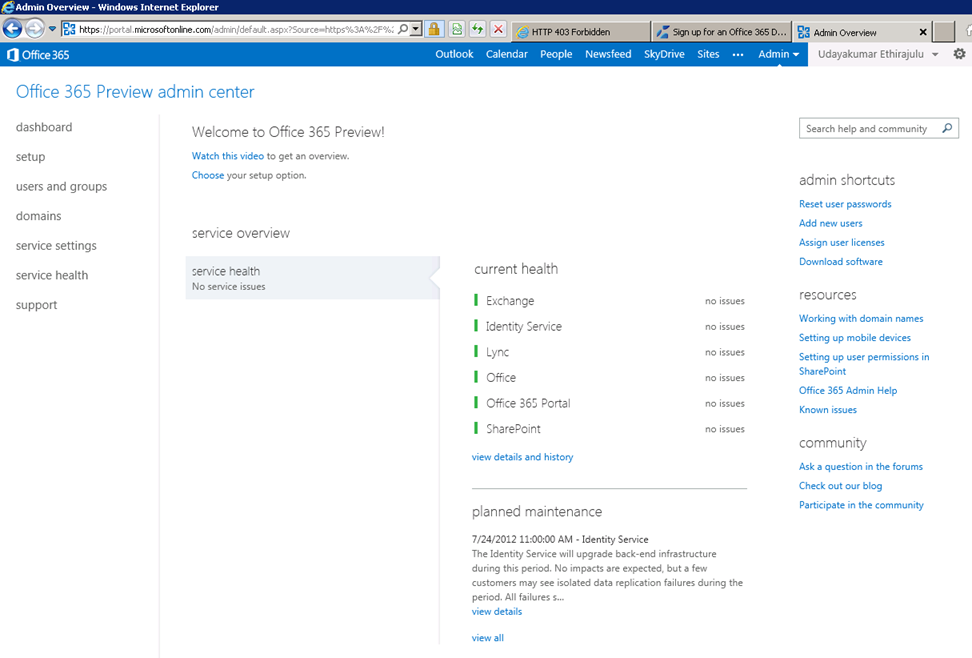
Dashboard адлюстроўвае здароўе праверку службы прадугледжаным.
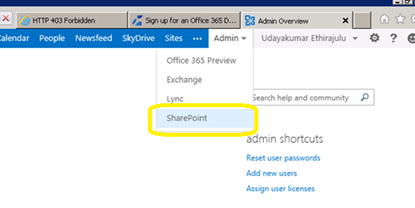
Зараз давайце паспрабуем патрапіць у SharePoint Online адміністрацыі. Націсніце на меню адміністратара ў стужцы SharePoint і абярыце з выпадальнага.
SharePoint адміністратара старонцы будзе адлюстроўвацца спіс сямействаў вэб-сайтаў; Па змаўчанні служба стварае 3 сямействаў і адзін агульнадаступны вэб-сайт.
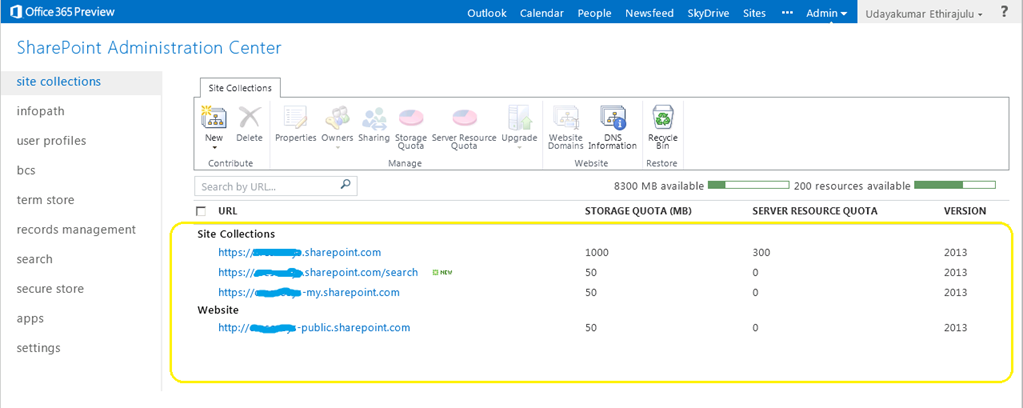
Націсніце на сямейства сайтаў партала, яна будзе загружаць SharePoint 2013 Прагляд сайта.
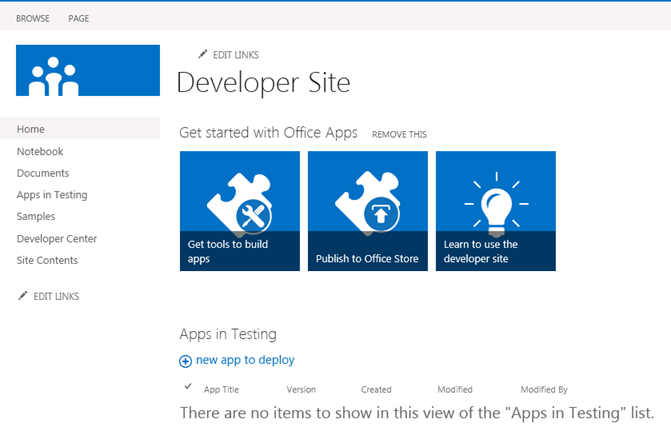
У маім наступным пасце, мы будзем казаць аб новай распрацоўцы інструмента для Office365 “Напа”
Па Udayakumar Ethirajulu , 19 ліпеня, 2012
Па Udayakumar Ethirajulu , on September 24th, 2011 Большасць з нас ведаюць, што SharePoint ўплывае на прадукцыйнасць, Пры спісу мае больш 2000 пунктаў. SharePoint 2010 дазваляе нам узяць кантроль над рэсурсамі спажывання на ўзроўні вэб-прыкладанняў. Рэгуляванне рэсурсаў дазволіць нам ўсталяваць максімальны мяжа ў выглядзе спісу.
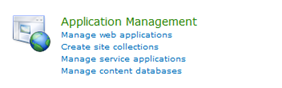
Цэнтр адміністравання -> (Кіраванне прыкладаннямі) Кіраванне вэб-прыкладаннямі
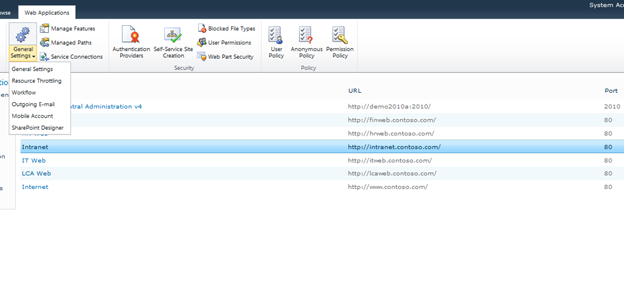
Выберыце вэб-дадатак з спісу, і націсніце Агульныя налады -> Рэгуляванне рэсурсаў
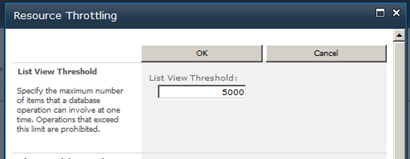
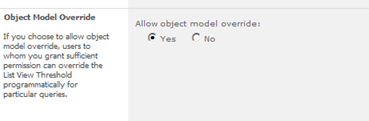
Ўсталяваць максімальнае значэнне для колькасці элементаў перабудоўваецца з улікам. Гэта мяжа для вяртання значэнняў праглядаў.
Вы можаце змяніць параметры мадэлі аб'екта.
Па Udayakumar Ethirajulu , 4. Жніўні, 2011
|
Зарэгіструйцеся сёння!
Звернецеся да SharePoint 2010 Для аўтаматызацыі бізнес-працэсаў & забяспечыць consistencyin чынам, ваш бізнэс знаходзіцца ў падпарадкаванні.
|
|
Як тэхналагічны лідэр, Вы ведаеце, праблемы рэалізацыі бізнес-працэсаў у вашай арганізацыі. Тыпова, працэсы не інтэграваць з тым, як людзі на самай справе працуе. Для бізнес-працэсаў, каб быць эфектыўным, яна павінна быць інтэграваная з паўсядзённымі прыладамі і прыкладаннямі, што выкарыстоўваюцца на працоўным месцы, так што яно становіцца часткай паўсядзённай. У электронным працоўным месцы, гэта ўключае ў сябе інтэграцыю з электроннай поштай, Календары, спісы задач, і сайты сумеснай працы праз Інтэрнэт.
Паколькі кампаніі імкнуцца да вырашэння гэтых праблем, больш і больш звяртаюцца да надзейным рашэннем, якое дазваляе рабочым працэсам рашэння архітэктараў, Дызайнеры, і адміністратарам палепшыць бізнес-працэсы: Microsoft SharePoint 2010.
Рэгістрацыя Microsoft SharePoint MVP Удай Ethirajulu і РКК Рашэнні верасня 8м, 2011 на 11:00раніцы па ўсходнім для вэб-інфармацыйны семінар (Вебинар) як ён абмяркоўвае і дэманструе асноўныя перавагі выкарыстання працоўных працэсаў у SharePoint 2010 для палягчэння бізнес-працэсаў і паляпшэння супрацоўніцтва. Удай будуць асветлены кошту бізнэсу можна атрымаць ад 2010 і засяродзіць намаганні на трох абласцях, якія ўяўляюць цікавасць:
- Працоўны працэс у SharePoint Designer
- Карыстальніцкія працоўныя працэсы – З дапамогай Visual Studio
- Тэхналагічная схема без працоўных працэсаў SharePoint
Таму зарэгіструйцеся сёння, таму што гэта адна падзея вы не жадаеце прапусціць!

|
Па Udayakumar Ethirajulu , Ліпеня 14, 2011 Вось мой маючы адбыцца семінар у SharePoint 2010 Business Intelligence.
|
Час на зыходзе! Зарэгіструйцеся сёння!
Павярніце на надзейныя рашэнні бізнес-аналітыкі для пашырэння магчымасцяў вашай арганізацыі
|
Як тэхналагічны лідэр, Вы ведаеце, у гэтай складанай эканамічнай асяроддзі, getting access to the right information at the right time has become one of the biggest challenges for organizations. A key stakeholder wants a special report/dashboard. Аналіз і інтэрпрэтацыя неструктураваных дадзеных становіцца ўсё больш і больш складаным.
Паколькі кампаніі імкнуцца да вырашэння гэтых праблем, больш і больш звяртаюцца да надзейных BI рашэнне, якое дае рашэнне арганізацыі вытворцаў, паляпшае арганізацыйную эфектыўнасць, і забяспечвае аснову для сапраўды дазваляюць ІТ-эфектыўнасці: Microsoft SharePoint 2010.
Рэгістрацыя Microsoft SharePoint MVP Udayakumar Ethirajulu 4. Жніўня, 2011 на 11:00на EST за інфарматыўны семінар вэб- (Вебинар) як ён абмяркоўвае і дэманструе самыя цікавыя новыя магчымасці SharePoint 2010. Удай будуць асветлены кошту бізнэсу можна атрымаць ад новых магчымасцяў 2010 засяродзіць намаганні на трох абласцях, якія ўяўляюць цікавасць:
- Магчымасці для вырашэння архітэктараў і распрацоўнікаў
- Магчымасці для інфраструктуры архітэктараў і ІТ-адмыслоўцаў
- Магчымасці для карыстачоў і прадпрыемства ў цэлым
Таму зарэгіструйцеся сёння, таму што гэта адна падзея вы не жадаеце прапусціць!

|
Па Udayakumar Ethirajulu , 1 ліпеня, 2011
Па Udayakumar Ethirajulu , 6 чэрвеня, 2011 Гэта свайго роду агульны запыт ад кліента, каб мець выгляд невялікі кнопкі выдаліць яго, ці малюнак у любым выдаліць.
Я не мог знайсці падыход, выкарыстоўваючы правілы для выдалення радкоў. Адна лінія C # код будзе рабіць трук J
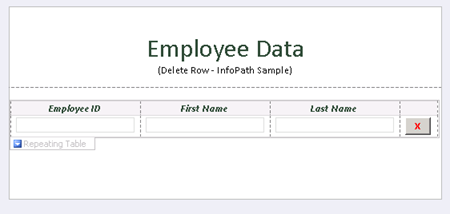
Дадаць кнопку і націсніце на “Рэдагаваць код формы” У Уласцівасці кнопкі.
грамадскасць
ануляваць DeleteRow_Clicked(аб'ект перадатчык, ClickedEventArgs і)
{
// Напісаць код тут.
e.Source.DeleteSelf();
}
Пры выдаленні крыніцы для кнопкі, выдаляе бягучы вузел у DOM, вузел утрымоўвае ўсю радок.
Спампаваць ўзор формы з дапамогай кода тут.

Па Udayakumar Ethirajulu , 31 мая, 2011 Я толькі што усталяваў Microsoft Online Services Module для Windows PowerShell для налады адзінага ўваходу для офіса 365.
Калі я спрабую запусціць PowerShell скрыпт для Single Sign на модуль:
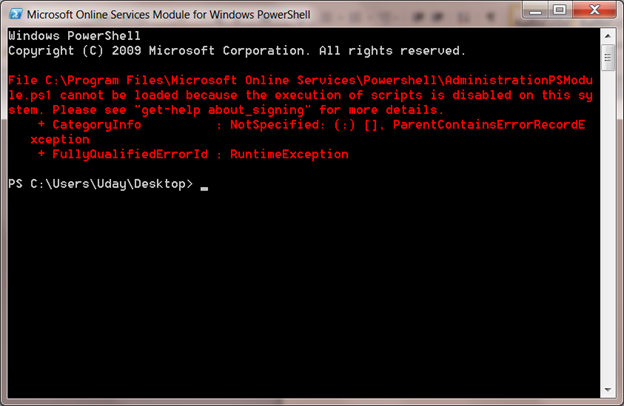
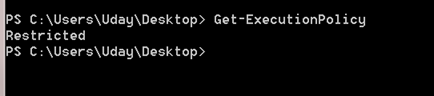
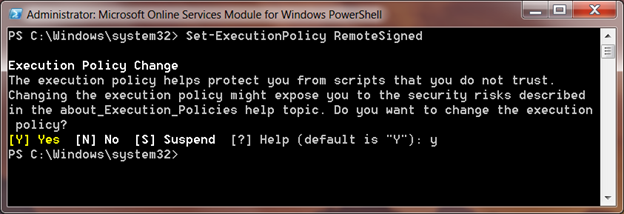
Выкананне сцэнарыя па змаўчанні палітыка значэнне Абмежаваны. Вы можаце атрымаць палітыку выканання па змаўчанні з дапамогай каманды Get-ExecutionPolicy
Set-ExecutionPolicy
Set-ExecutionPolicy будзе наладзіць палітыку ў лакальнай сістэме, RemoteSigned будуць давяраць усе лакальныя скрыпты і падпісаны сцэнар спампаваць інтэрнэт.
Па Udayakumar Ethirajulu , 10 мая, 2011 Памылка:
Не атрымалася загрузіць тып 'Microsoft.AnalysisServices.SharePoint.Integration.ReportGalleryView ".
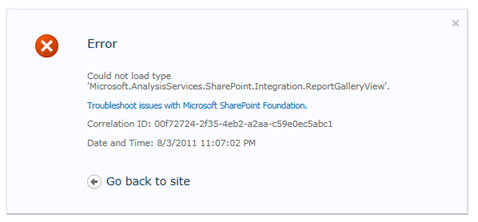
Рэзюмэ:
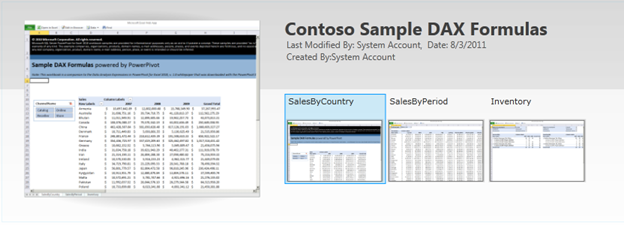
Магутнасць Pivot бібліятэка мае некаторыя асаблівыя погляды, такія як выгляд галерэі, Карусель гледжання, і г.д.. Па змаўчанні для бібліятэкі ёсць спасылкі з зборкі ‘Microsoft.AnalysisServices.SharePoint.Integration.ReportGalleryView’, які спакаваны ў пакет рашэнняў “powerpivotwebapp.wsp“.
Рэзалюцыя:
Калі надбудова PowerPivot для SharePoint разгорнута, ён дадае два пакеты рашэння “Ферма рашэння”
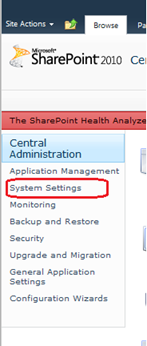
Да Галоўнага ўпраўлення, Націсніце на параметры сістэмы ў левай навігацыйнай.
Затым націсніце на “Упраўленне фермы рашэння” Ферма па кіраванні.

Спіс сельскагаспадарчых рашэнні будуць пералічаны.
Powerpivotfarm.wsp будуць ужо разгорнутыя глабальна.
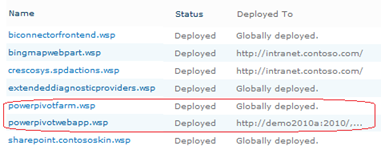
Націсніце на powerpivotwebapp.wsp і разгортваць рашэння на вэб-прыкладанні, дзе вы спрабуеце стварыць Галерэя магутнасць Pivot.
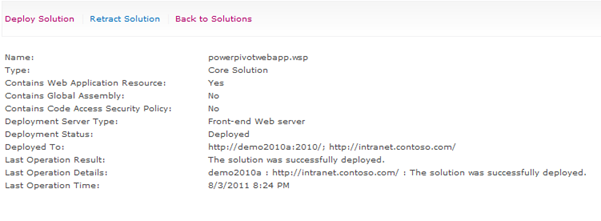
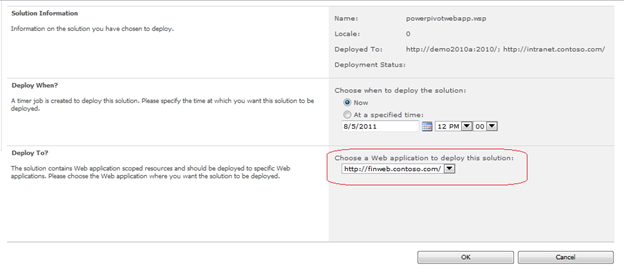
Вы добра ісці. Стварэнне бібліятэкі ў цяперашні час, няма памылкі J
|
|