|
|
Per Udayakumar Ethirajulu , el 25 de juliol, 2012 Ingressa al lloc del desenvolupador Office365. Si no s'ha inscrit per al compte de desenvolupador, llegir meu post anterior sobre com inscriure per al compte de desenvolupador Office365.
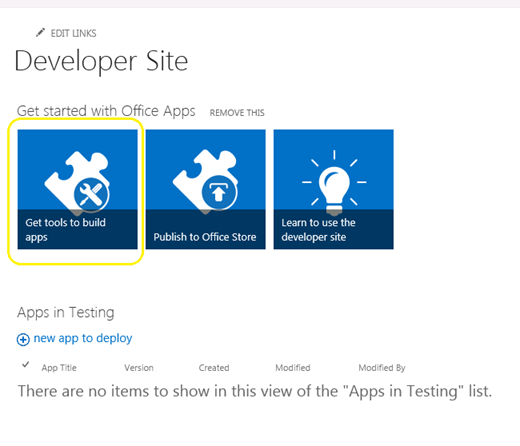
Aneu a la pàgina d'administració de SharePoint, i feu clic a “Obtingui les eines per construir aplicacions”
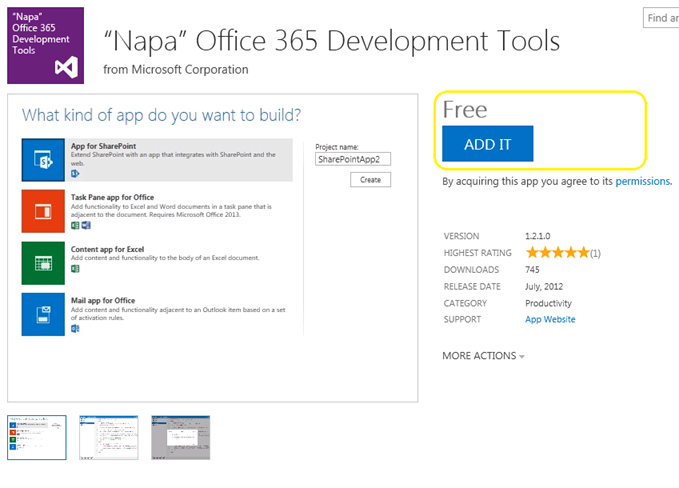
Feu clic al “ADD IT” botó a la part superior dreta, i signar amb el teu passaport per al magatzem.
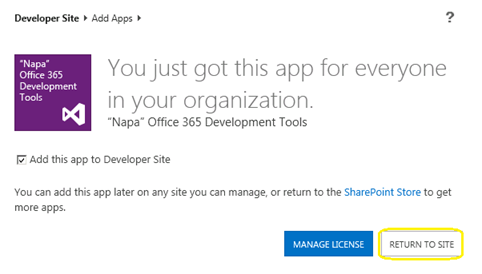
Feu clic al “TORNAR A LLOC”
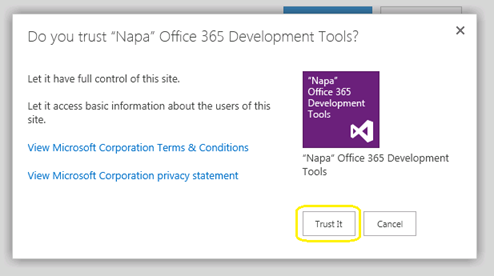
Emergent apareixerà per confirmar el Fideïcomís. Feu clic a “Confia en ell” botó, i llavors vostè passareu al lloc de desenvolupadors.
Ara l'aplicació s'instal · la en el teu lloc per a desenvolupadors. Feu clic a “Napa Oficina 365 Eines de desenvolupament” Pàgina de Contingut per llançar.
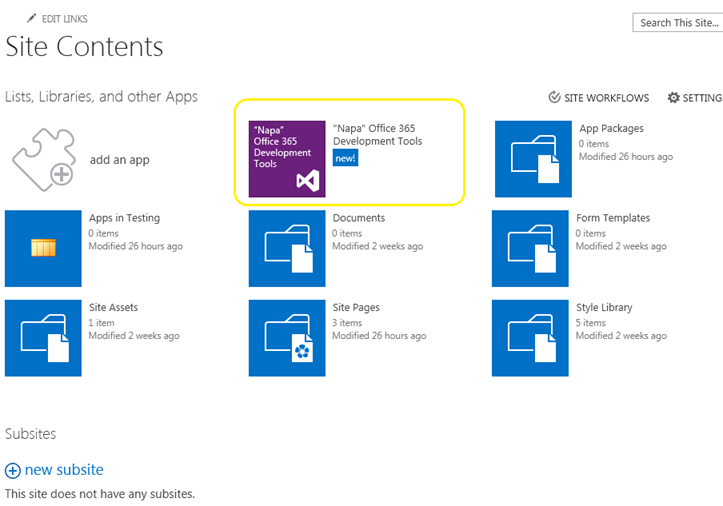
Ara tenim les nostres eines de desenvolupament instal · lat. Què segueix? Anem a construir el HelloWorld.
Per Udayakumar Ethirajulu , on July 24th, 2012 Microsoft va llançar l'Office / SharePoint 2013 Veure la setmana passada. La següent pregunta seria què hi ha de nou en Office365; aquí tens inscriure per a accés de desenvolupador lloc web més avall i començar a desenvolupar aplicacions per 2013.
Inscrigui aquí per al lloc del desenvolupador
Quan acabi el procés de registre vostè serà capaç d'accedir al lloc de desenvolupadors. Quan es carrega per primera vegada, tot servei necessari es subministraran.
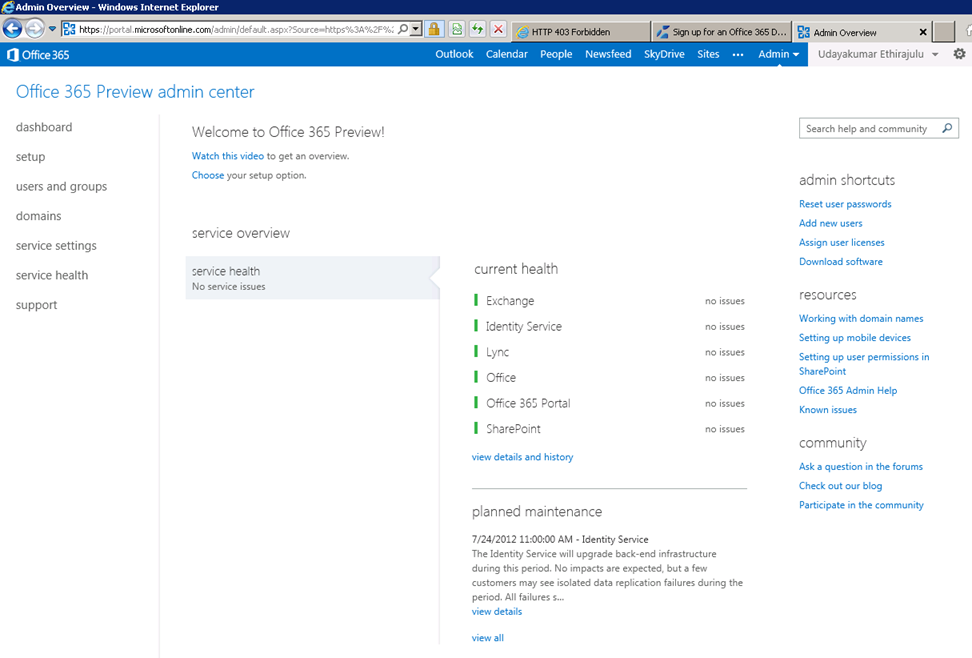
Quadre d'instruments mostrarà la revisió del servei aprovisionat.
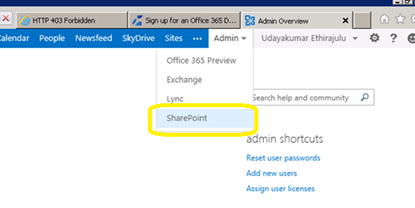
Ara anem a tractar d'entrar en administració de SharePoint Online. Feu clic a Menú Admin en cinta i seleccioneu SharePoint des desplegable.
SharePoint pàgina d'administració, apareixerà la llista de col · leccions de llocs; per defecte el servei crea 3 col · leccions de llocs i un lloc web públic.
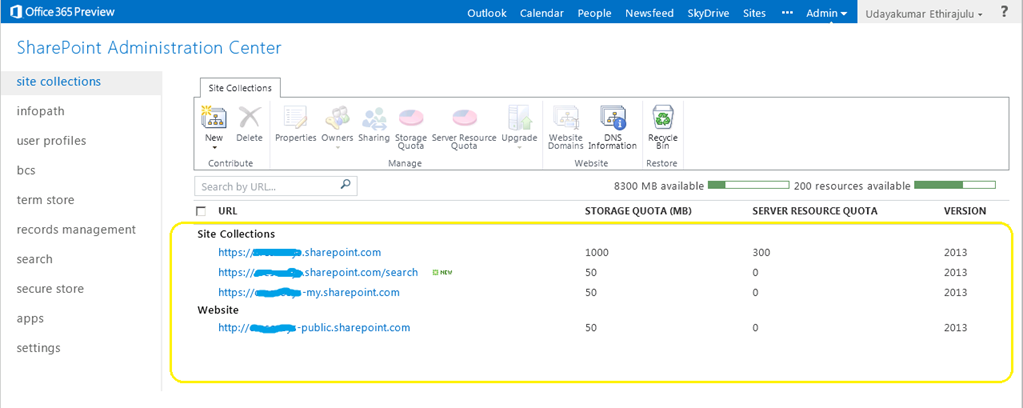
Feu clic a la col · lecció de llocs de portal, es carregarà el SharePoint 2013 vista prèvia del lloc.
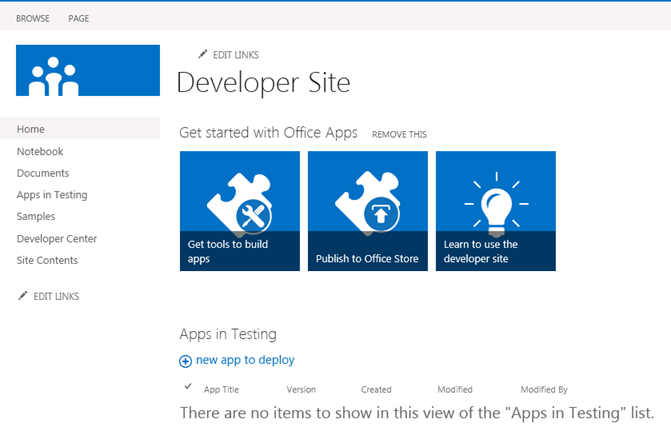
En el meu proper post, parlarem sobre la nova eina de desenvolupament per Office365 “Napa”
Per Udayakumar Ethirajulu , el 19 de juliol, 2012
Per Udayakumar Ethirajulu , el 24 de setembre, 2011 La majoria de nosaltres sabem que té implicacions en el rendiment de SharePoint, quan la vista de llista té més 2000 articles. SharePoint 2010 ens permet prendre el control dels consums de recursos en el nivell d'aplicacions web. Limitació de recursos que ens permeten establir el límit màxim per la vista de llista.
Administració central -> (Gestió d'aplicacions) Administrar aplicacions web
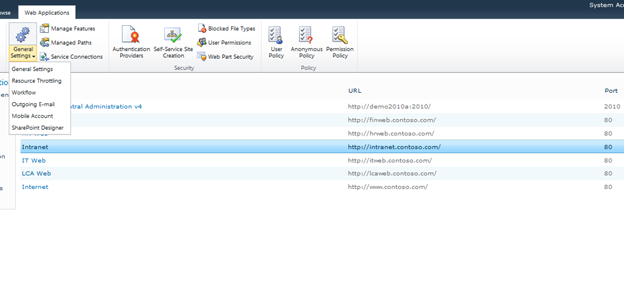
Seleccioneu l'aplicació web de la llista, i feu clic a Configuració general -> Limitació de recursos
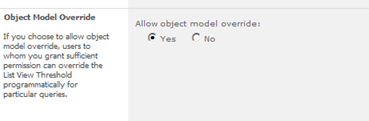
Configuració de l'opció màxim per als elements numèrics reajustada a la vista. Aquest és el límit per retornar valors en les vistes.
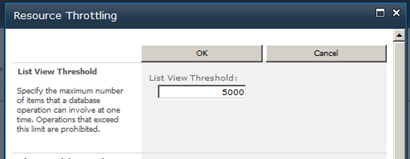
Pot anul · lar la configuració de model d'objectes.
Per Udayakumar Ethirajulu , el 4 d'agost, 2011
|
Registrar Avui!
Al seu torn a SharePoint 2010 per automatitzar els processos de negoci & proporcionar consistencyin la forma de gestionar el seu negoci.
|
|
Com a líder en tecnologia, vostè sap els desafiaments de la implementació de processos de negoci a través de la seva organització. Típicament, els processos no s'integren amb la manera com la gent realment funcionen. Per a un procés de negoci per a ser eficaç, s'ha d'integrar amb eines d'ús diari i les aplicacions utilitzades en el lloc de treball perquè es converteixi en part de la rutina diària. En el lloc de treball electrònic, això inclou la integració amb el correu electrònic, calendaris, llistes de tasques, i llocs de col · laboració web.
Com les empreses busquen fer front a aquests reptes, més i més persones estan recorrent a una solució de flux de treball robust que permet als arquitectes de solucions, dissenyadors, i administradors per millorar els processos de negoci: Microsoft SharePoint 2010.
Uneix-te a Microsoft SharePoint MVP Uday Ethirajulu i solucions de RSC al setembre 8ª, 2011 a 11:00am EST per a un seminari web d'informació (webinar) com ho explica i demostra els avantatges principals d'utilitzar els fluxos de treball de SharePoint 2010 per facilitar els processos de negoci i millorar la col · laboració. Uday posarà en relleu el valor de negoci que pot obtenir de 2010 i es concentren en tres àrees d'interès:
- Flux de treball de SharePoint Designer
- Els fluxos de treball personalitzats – Ús de Visual Studio
- Procés de flux sense flux de treball de SharePoint
Així que registreu-vos avui mateix, perquè aquest és un esdeveniment que no et vols perdre!

|
Per Udayakumar Ethirajulu , el 14 de juliol, 2011 Aquí està el meu proper seminari web a SharePoint 2010 Business Intelligence.
|
El temps s'acaba! Registrar Avui!
Girar cap a una solució de Business Intelligence robusta per potenciar la seva Organització
|
Com a líder en tecnologia, saps que en aquest difícil entorn econòmic, getting access to the right information at the right time has become one of the biggest challenges for organizations. A key stakeholder wants a special report/dashboard. Anàlisi i interpretació de les dades no estructurats s'està convertint cada vegada més complex.
Com les empreses busquen fer front a aquests reptes, més i més persones estan recorrent a una solució sòlida de BI que permet als responsables de decisions d'una organització, millora l'eficàcia de l'organització, i proporciona la columna vertebral perquè realment l'eficiència de TI: Microsoft SharePoint 2010.
Ingrés de Microsoft SharePoint MVP Udayakumar Ethirajulu el 4 d'agost, 2011 a 11:00a EST per a un seminari web informativa (webinar) com ell explica i demostra les noves capacitats més interessants de SharePoint 2010. Uday posarà en relleu el valor de negoci que pot obtenir de les noves funcions de 2010 concentrar-se en tres àrees d'interès:
- Les capacitats per a arquitectes de solucions i desenvolupadors
- Les capacitats per als arquitectes d'infraestructura i professionals de TI
- Les capacitats per als usuaris i l'empresa com un tot
Així que registreu-vos avui mateix, perquè aquest és un esdeveniment que no et vols perdre!

|
Per Udayakumar Ethirajulu , l'1 de juliol, 2011
Per Udayakumar Ethirajulu , el 6 de juny, 2011 Aquesta és una espècie de petició comuna de client a tenir una mena de botó d'esborrar petita o una imatge en cada esborrar.
No he pogut trobar qualsevol enfocament amb regles per eliminar les files. Una línia de codi en C # de fer el truc J
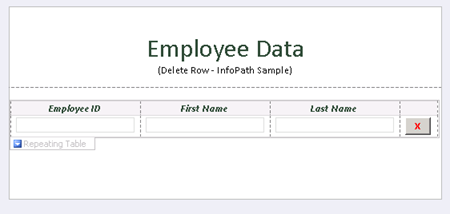
Afegir botó i feu clic al “Edita codi del formulari” Propietats del botó.
públic
anul · lar DeleteRow_Clicked(objecte transmissor, ClickedEventArgs i)
{
// Escriu el teu codi aquí.
e.Source.DeleteSelf();
}
Quan elimineu la font per al botó, esborra el node actual en el DOM, el node conté tota la fila.
Descarregueu el formulari de mostra amb codi aquí.

Per Udayakumar Ethirajulu , el 31 de maig, 2011 Acabo d'instal · lar el Microsoft Online Services Module for Windows PowerShell per configurar inici de sessió únic d'Office 365.
Quan tracte d'executar l'script de PowerShell d'inici de sessió únic en el mòdul:
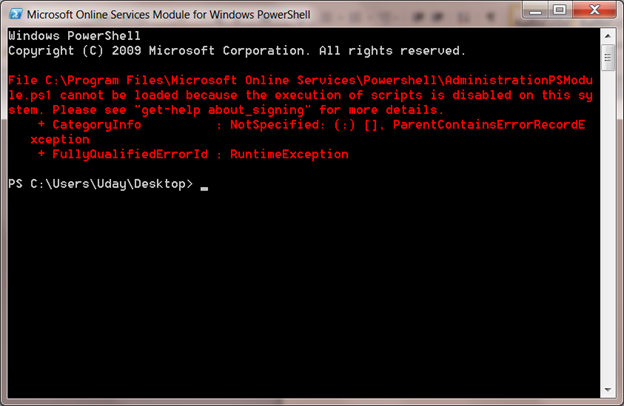
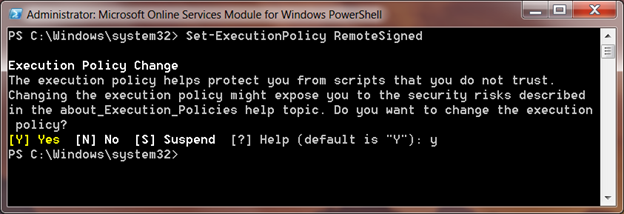
La seqüència d'ordres per defecte la política d'execució s'estableix en Restringit. Vostè pot obtenir la política d'execució per defecte mitjançant cmdlet Get-ExecutionPolicy
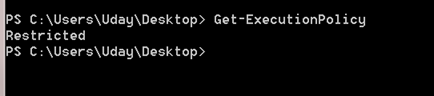
Set-ExecutionPolicy
Set-ExecutionPolicy will set the policy in your local system, RemoteSigned confiarà en tots els scripts locals i signat script descarregat d'Internet.
Per Udayakumar Ethirajulu , el 10 de maig, 2011 Error:
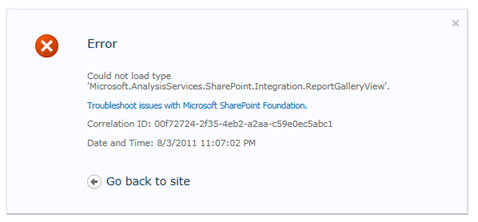
No s'ha pogut carregar el tipus 'Microsoft.AnalysisServices.SharePoint.Integration.ReportGalleryView'.
Resum:
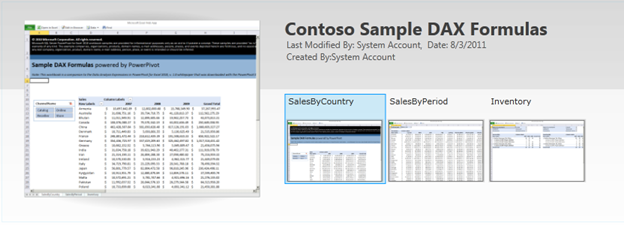
Power Pivot Biblioteca té unes vistes especials, com ara veure galeria, carrusel de vista, etc. La vista per defecte de la biblioteca té la referència de l'assemblea ‘Microsoft.AnalysisServices.SharePoint.Integration.ReportGalleryView’, que s'envasa en paquet de solució “powerpivotwebapp.wsp“.
Resolució:
Quan addin PowerPivot per SharePoint desplegat, afegeix dos paquets de solucions per “Solucions Agrícoles”
Anar a l'Administració central, Feu clic a Configuració del sistema de navegació cap a l'esquerra.
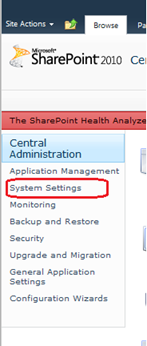
Després feu clic a “Manejar adequadament les solucions agrícoles” en Administració de Finques.

Llista de solucions agrícoles s'enumeren.
Powerpivotfarm.wsp es ja ha implementat a nivell mundial.
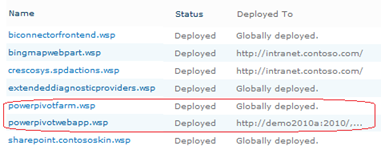
Feu clic al powerpivotwebapp.wsp i implementar la solució a l'aplicació web en la qual estan tractant de crear la galeria d'alimentació del pivot.
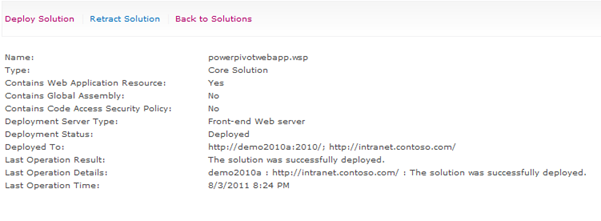
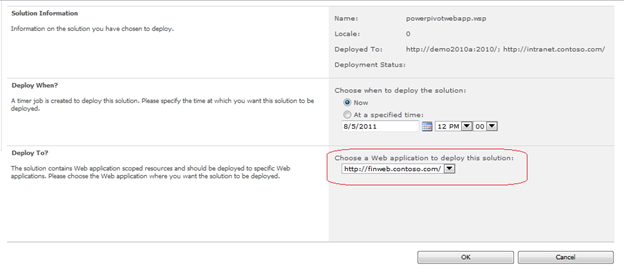
Vostè és bo per anar. Crear la biblioteca d'avui, no error J
|
|