
To find the installed version of SharePoint in system,
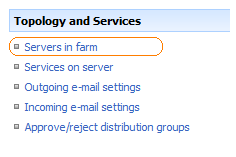
Browse to Central Administration -> Operations -> Servers in Farm [Topology and Services]
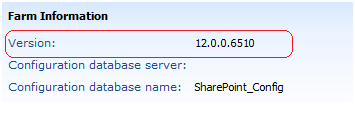
Version information will be displayed for each and every server.
|
||||||
How to Find the SharePoint Version Installed in SystemTo find the installed version of SharePoint in system, Browse to Central Administration -> Operations -> Servers in Farm [Topology and Services]
Version information will be displayed for each and every server.
|
||||||
|
Copyright © 2024 MSTechBlogs - All Rights Reserved Powered by WordPress & Atahualpa |
||||||
Leave a Reply