
Scenario:
Getting Error “Access Denied by Business Data Connectivity”, while loading the External List.
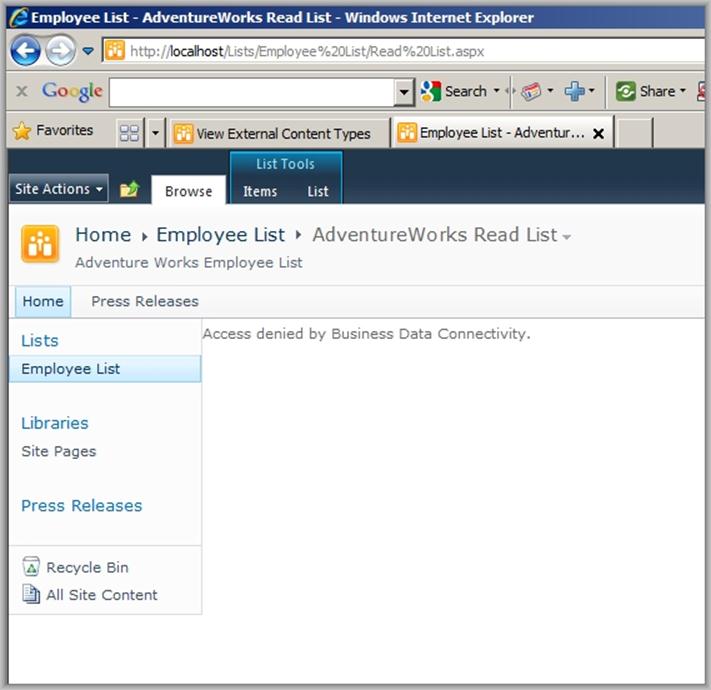
Solution:
Go to Central Administration -> Application Management -> Manage Service Applications -> Business Data Connectivity Service
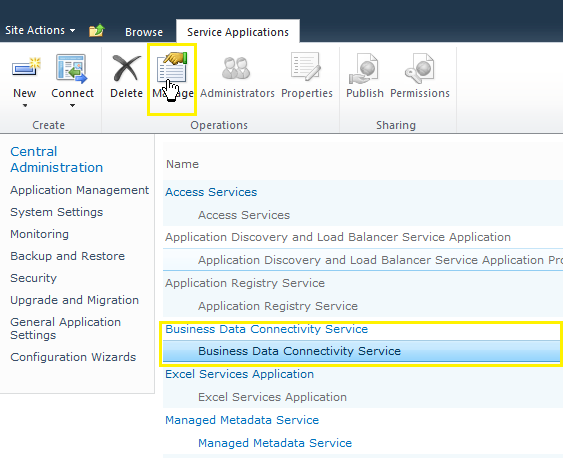
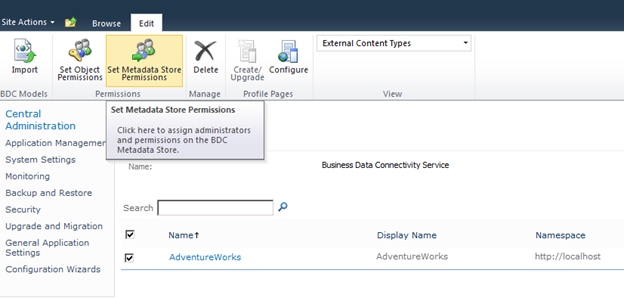
Select the Store and Click on Set Metadata store permissions.
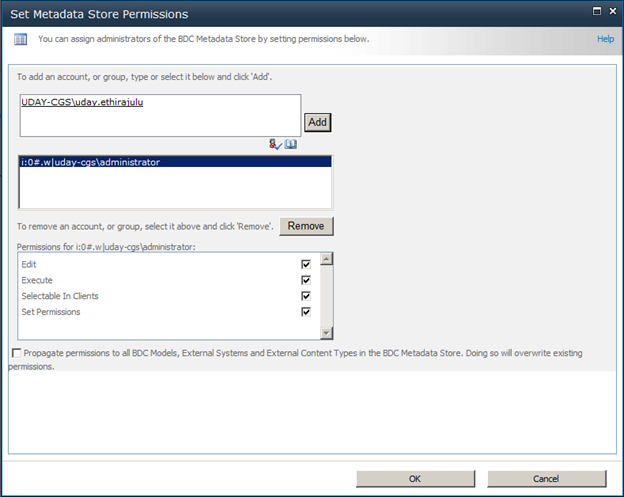
Select the User and choose appropriate permissions.
You are set to go now. J
Good morning,
I did what you were saying, and I still have the same problem, I get the same error despite giving the user administrator permissions, that is the one that I'm accessing.
Any ideas?
Thank you very much for the help.
Yours sincerely.